FlatOut 2 Rendering: How Does It Work?
I decided to reverse-engineer FlatOut 2's renderer. The reason is simple: games that both look great and run fast are not that common. The findings below may be useful to anyone building their own racing game :)
First, some general information.
A typical frame contains between 70,000 and 120,000 polygons. Everything is rendered using Shader Model 1.1 shaders only (which is not surprising considering the game was also released on the original Xbox). Draw calls range from 700 to 1100 per frame, which is surprisingly high.
Now let's walk through the rendering process step by step.
- Car shadows. Each vehicle has its own shadow texture (256x256, R5G6B5). Only the body and wheels are rendered into it. It appears to use the lowest-detail LOD. The shader is extremely simple. The result looks like this:

-
Sky. Implemented in a simple and elegant way. The sky itself is a half-cube. Imagine a cube cut horizontally in half. At the horizon level there is a ring containing a panoramic texture of mountains, buildings, forests, etc. This is convenient because different sky types (daytime, evening) can be swapped independently. Although the same result could have been achieved with a single cubemap and fewer draw calls.
-
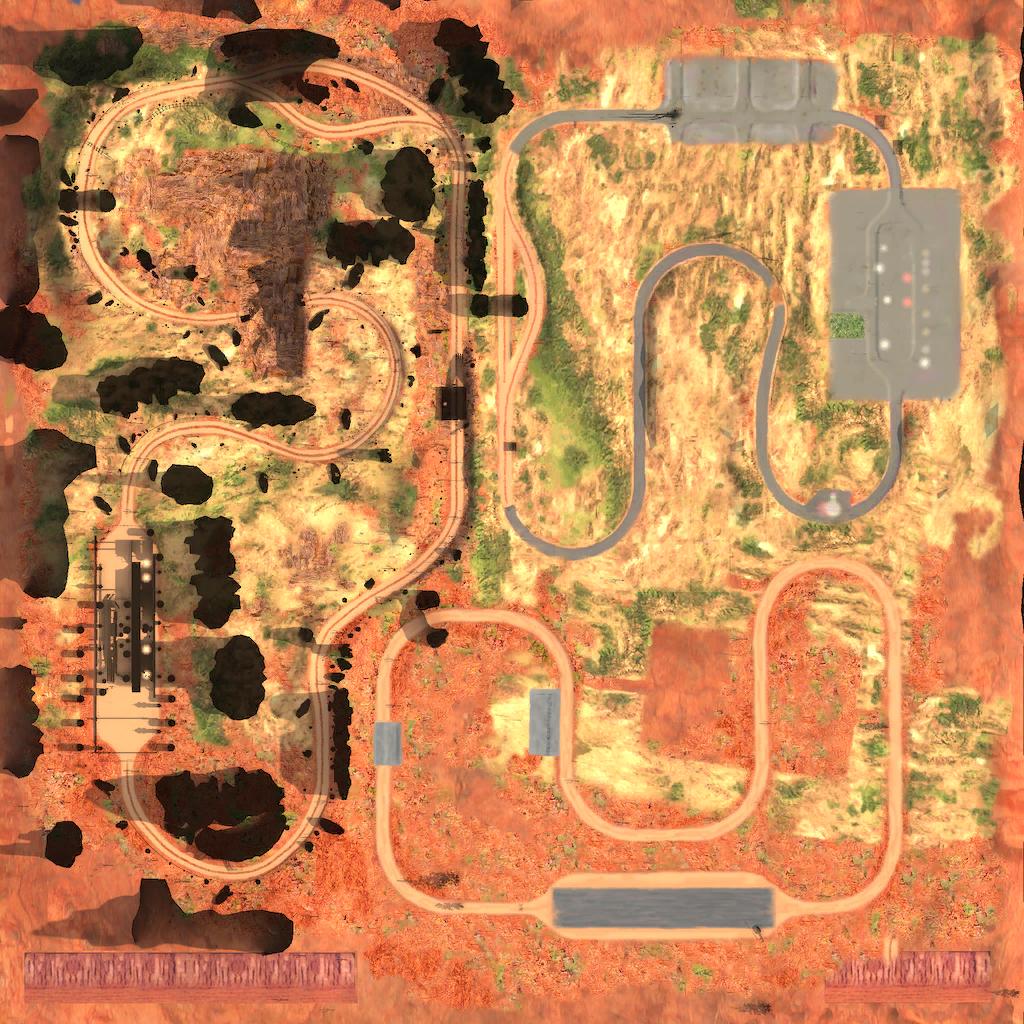
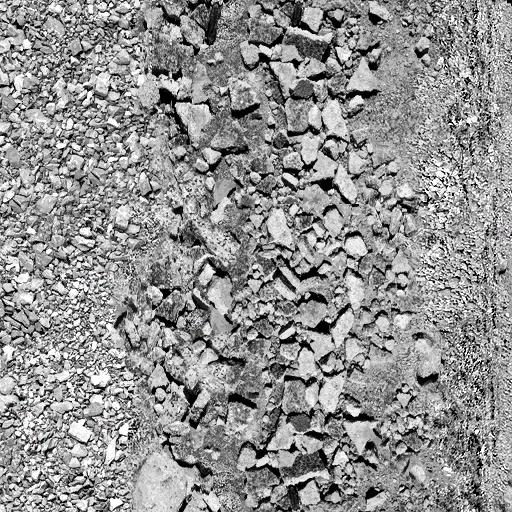
Terrain. This part is excellent. Each track has a single terrain texture (2048x2048) containing a top-down representation of the entire level. All static shadows from hills, bridges, and other objects are already baked into it. During rendering this texture is combined with various detail textures (leaves, rocks, and so on). The result looks surprisingly good.
The lighting model is also very simple and highly efficient. For all static objects (not only terrain), lighting is precomputed and stored as diffuse vertex colors. Nothing is calculated at runtime. As a result, shaders are extremely short and execute very quickly. Material and texture sorting are handled reasonably well at this stage.
Example of the full location texture:
Example of a detail texture:
-
Cacti and trees. Sometimes rendered using static batching, sometimes not. I couldn't fully determine why. My suspicion is that non-physical objects outside the track are rendered in large batches while the rest are not. Material sorting is also somewhat unclear. Even though the same shaders are used everywhere, every few draw calls are wrapped with ID3DXEffect::Begin, BeginPass, EndPass, End. Lighting is precomputed here as well. The shader is identical to the terrain shader. ps: 1+1 instructions, vs: 6.
-
Cars, part 1. Bodywork only, without wheels or glass. These are the most complex shaders in the game.
Features:
- Diffuse lighting using a cubemap (A8, bright at the top, darker toward the bottom)
- Sun specular highlights
- Damage blending
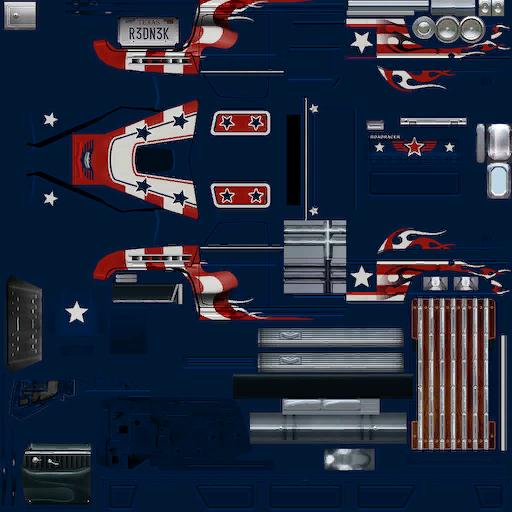
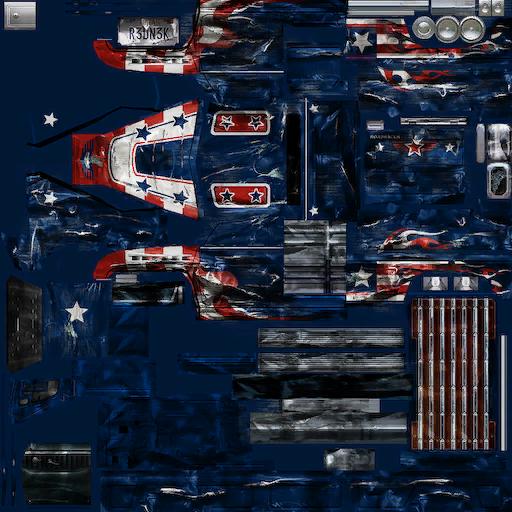
The damage level of the rendered part is passed into the pixel shader and used to select either the pristine or damaged texture. The alpha channel of the vehicle texture stores surface reflectivity. Reflections use a static cubemap shared across all tracks. It contains trees and mountains. No dynamic reflections are used.
New car:
Damaged car:
before_p6. Physical objects. Use diffuse cubemap lighting. Again, material sorting appears only partial.
-
Cars, part 2. Engine components, interior geometry, and wheel rims. Uses the same shader as part 1.
-
Driver. Hardware skinning.
-
Shadows beneath cars. A mesh is generated and projected onto the terrain.
First a simple dark blob is rendered. Then the dynamic shadow texture generated in step 1 is applied.
The interesting part is how the shadow blur is implemented:
vs_1_1
dcl_position v0
dcl_color v2
dcl_texcoord v3
m4x4 oPos, v0, c0
add oT0.xy, v3, c32
add oT1.xy, v3, c33
add oT2.xy, v3, c34
add oT3.xy, v3, c35

ps_1_1
tex t0
tex t1
tex t2
tex t3
mul r0, c7, t0
mad r0, c7, t1, r0
mad r0, c7, t2, r0
mad_sat r0, c7, t3, r0
The same texture is sampled four times with small offsets. Given the tiny texture size (256x256) and hardware filtering, the final result looks excellent.
-
Distant and nearby bushes. Sometimes rendered in large batches (100–200 instances), sometimes individually. Very simple shader.
-
Cars, part 3. Tires, glass, and headlights. The latter two use simple reflections based on the same cubemap used for the car body.
-
Particle systems. Smoke, dust, sparks. Extremely simple shaders.
At this point the frame looks like this:
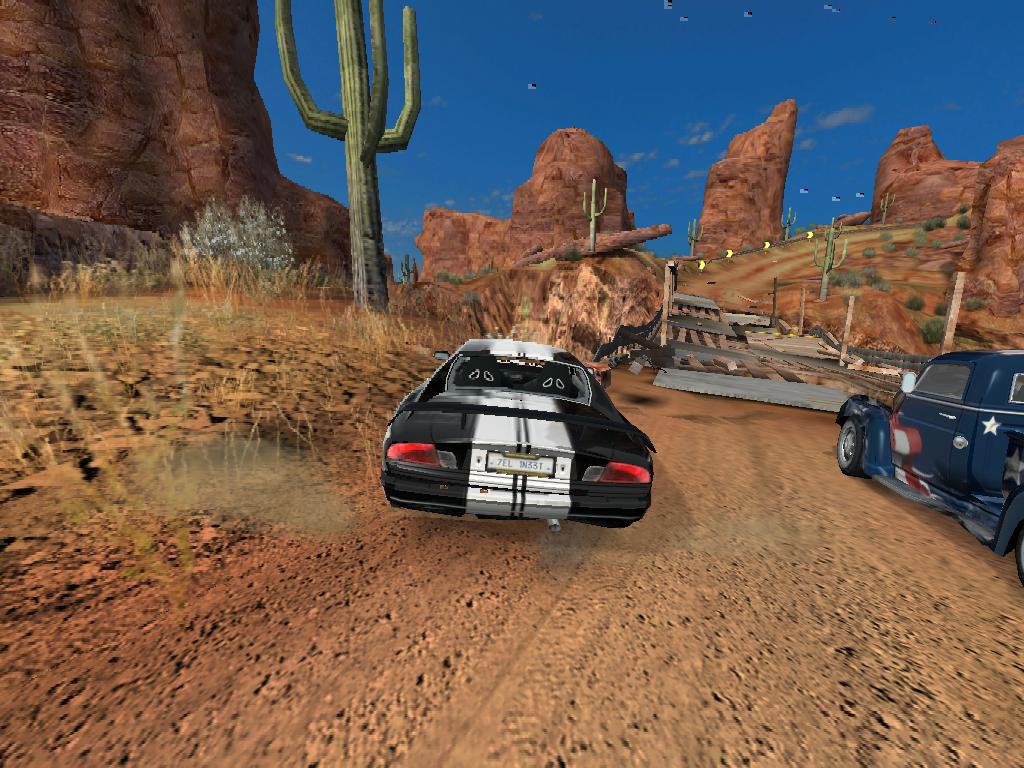
Post-processing follows.
-
Calculate image brightness. In other words, convert the image to grayscale.
-
Using pixel brightness (from the grayscale image) and a special 1D gradient texture, a color remap is performed. Bright pixels receive one tint, dark pixels another. For example, during evening scenes, illuminated areas become slightly reddish. The remapped image is then combined with the original color image:
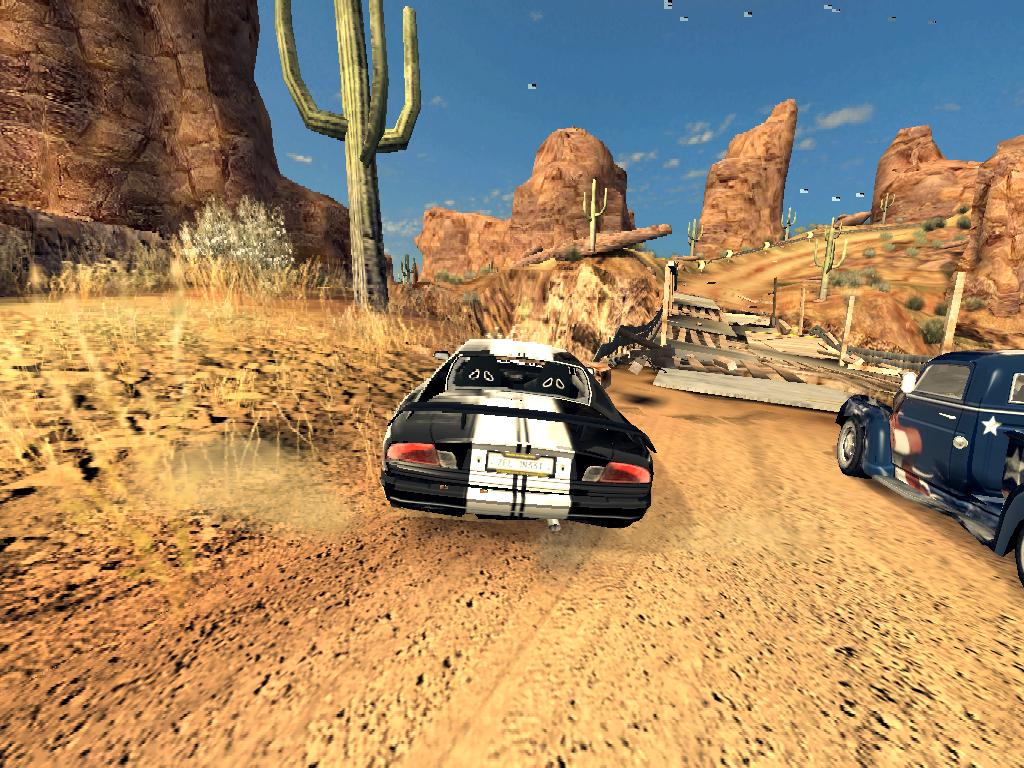
-
Downsample the image from step 14 to 256x256. Then extract bright areas using a simple shader.
-
Blur the image four times using a ping-pong technique similar to the vehicle shadow blur. Four texture taps with UV offsets are used.
Result:

- Combine the blurred texture with the original image to create the glow effect:
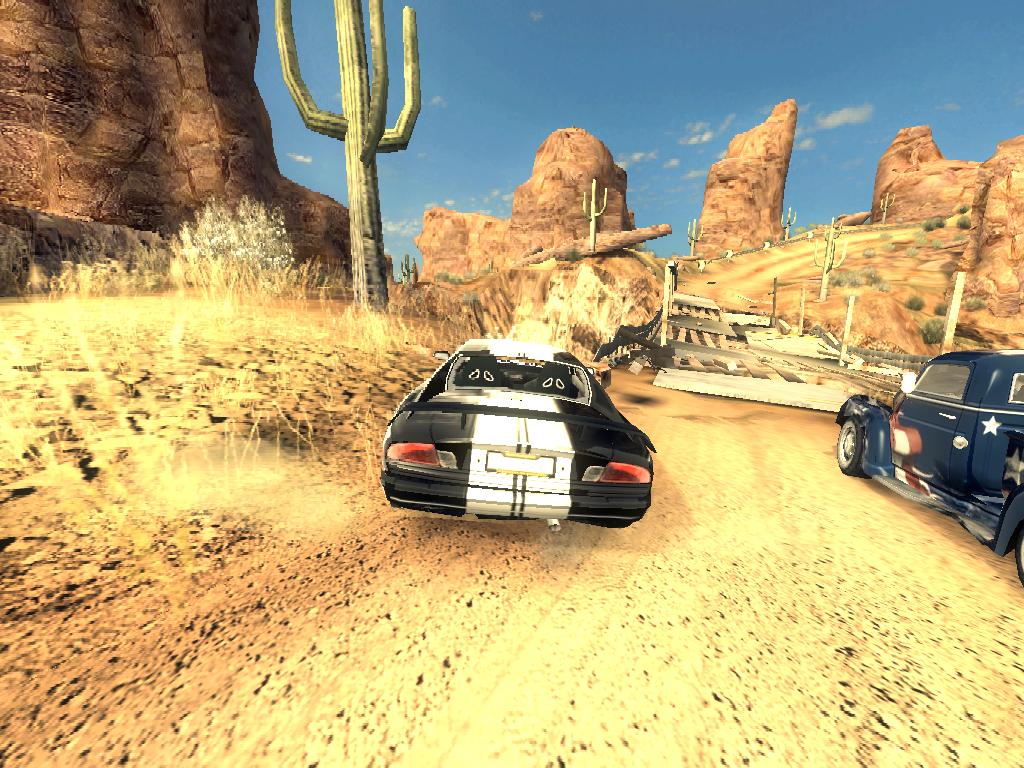
- Apply two radial blur passes using the same principle, except texture coordinates are scaled outward instead of shifted. This image is used during nitro boost:

- UI. Nothing unusual here. Elements are rendered one by one without any noticeable sorting.
That's it. Conclusions from this small investigation:
- Art matters (I already knew that, but this reinforces it). FlatOut 2 does not use any cutting-edge rendering technology. You can implement countless modern graphics techniques, but without great art and proper tuning of those effects, the game will still look bad and run poorly.
- Once again, a good principle every game developer should remember: never compute every frame what can be computed once.
- Material and texture sorting appears to be minimal or inconsistent.
- I was surprised by the simplicity of the renderer without sacrificing quality (although the number of draw calls could certainly have been lower). The renderer is simple and fast.